n8n CRM Integration: Connecting Your CRM to Everything Around It
A practical engineering guide to n8n CRM integration: which workflows to automate, how to prevent duplicates, how to handle failures, and how to choose between self-hosted n8n and n8n Cloud.
Request an Automation Assessment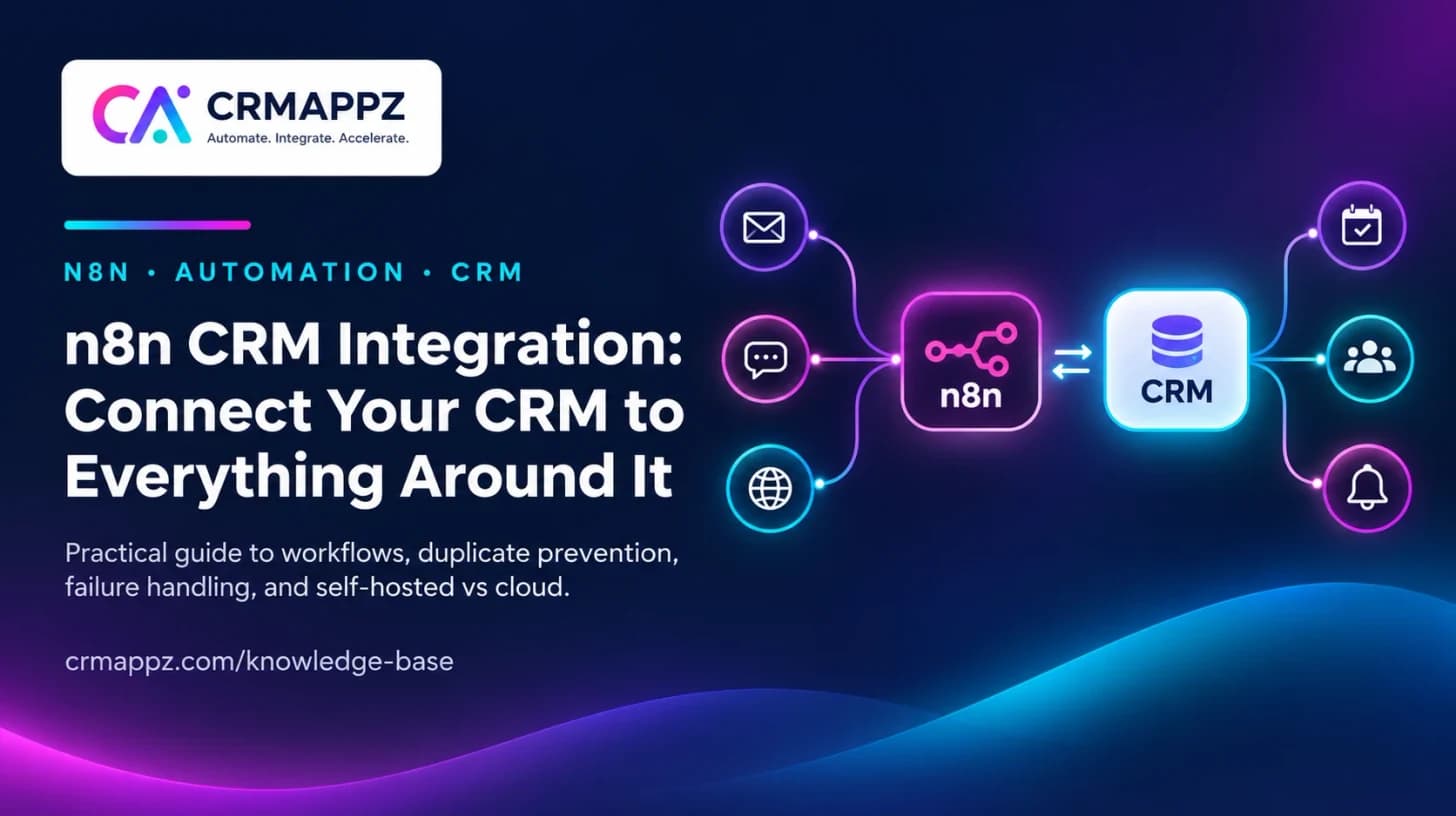
A practical engineering guide for teams whose CRM is surrounded by manual copying: which workflows to automate with n8n, how to make them reliable, and how to decide where n8n should run.
Category: Automation / CRM Integration
Author: CRMAppz Engineering Team
On this page
Where n8n Fits in a CRM Architecture
Most CRM problems described as "we need a better CRM" are actually integration problems. The CRM is fine; it is just disconnected from where work happens — the website, WhatsApp, email, the accounting system, the support desk.
n8n sits between those systems as the workflow layer. It listens for events through webhooks and polling, applies rules, and calls APIs. Three properties make it a strong fit for CRM operations:
- It is self-hostable, so customer data can stay on infrastructure you control
- Workflows are visual and inspectable, so the team that owns the process can read what the automation does
- It speaks HTTP natively, so any CRM with a REST API — SuiteCRM included — can be connected without waiting for a vendor marketplace
Equally important is what n8n is not. It is not a system of record, not a replacement for the CRM's own workflow rules inside its boundary, and not a decision-maker for anything with financial or contractual consequences. Those stay with the CRM and with people.
The Four CRM Workflows Worth Automating First
1. Lead capture from every channel
Website forms, WhatsApp messages, emails and campaign responses all become CRM leads through one pipeline: validate the input, check for an existing contact, create or update the record with its source, and assign an owner. This single workflow usually eliminates the most re-keying and the most lost enquiries.
- Enquiry event received (webhook)
- Validate and normalise the data
- Match against existing CRM contacts
- Create or update the lead with source attribution
- Assign an owner by agreed rules
- Notify the owner with context
2. Follow-up and escalation
A scheduled workflow reviews open leads and overdue next actions, reminds owners, and escalates what stays untouched. The CRM holds the state; n8n provides the discipline. Nothing here requires AI — it requires agreed timing rules.
3. Record synchronisation
When a deal is won, the customer must exist correctly in invoicing; when a support case closes, the account record should reflect it. Synchronisation workflows carry agreed fields in an agreed direction, store cross-system references, and queue conflicts for a person instead of overwriting silently.
4. Messaging connected to records
WhatsApp and email conversations linked to CRM records — enquiry acknowledgements, appointment confirmations, document requests — within the consent and template rules of the channel. See our guide to WhatsApp CRM integration for the messaging-side constraints. Where a sector-specific messaging product already exists — for example SchoolChatify for school-to-parent WhatsApp communication — n8n's job narrows to connecting that platform's events to the CRM record rather than rebuilding the messaging layer.
| Workflow | Trigger | Main design risk |
|---|---|---|
| Lead capture | Webhook per channel | Duplicate records |
| Follow-up & escalation | Schedule | Reminder fatigue from bad timing rules |
| Synchronisation | Record events / schedule | Update loops and silent overwrites |
| Messaging | CRM events | Consent and template compliance |
Want These Workflows Running Against Your CRM?
CRMAppz builds n8n CRM integrations with duplicate prevention, error handling and monitoring designed in — starting from one bounded workflow you can verify, on infrastructure you own.
What Makes an n8n CRM Integration Production-Grade
Anyone can connect two APIs in an afternoon. Whether the connection can run your operation depends on four disciplines.
Idempotency and duplicate prevention
Webhooks fire twice; workflows get re-run after failures. Every workflow that creates records must first match on stable identifiers and store the destination reference, so a repeated event updates rather than duplicates. This is the single most common defect in home-grown CRM automations.
Failure paths that reach a person
APIs time out, credentials expire, fields go missing. Each workflow needs an error branch that captures the failed item with enough context to resolve it, and an owner who is notified. A workflow whose failures are visible only in an execution log has no failure handling.
Credential and access hygiene
Use n8n's credential store rather than embedding keys in nodes, scope API users to the records and actions each workflow needs, and record who owns each credential for rotation. The workflow layer touches every system; treat its access accordingly.
Observability someone actually watches
Execution history answers what happened; an alert answers that something needs attention now. Decide which workflows page someone on failure and which batch into a daily review — before go-live, not after the first silent week-long outage.
Production readiness checklist
- Record matching rules specified and tested with real duplicates
- Every creating workflow safe to re-run
- Error branches deliver failed items to a named owner
- Credentials stored centrally, scoped, with a rotation owner
- Alerting rules agreed per workflow
- A runbook: how to pause, replay and recover each workflow
Hosting and Licensing: Self-Hosted n8n vs n8n Cloud
n8n is source-available under its Sustainable Use License, which permits self-hosting for internal business purposes, with a paid cloud service and enterprise tiers alongside. For CRM integration the decision usually turns on three factors:
| Factor | Self-hosted | n8n Cloud |
|---|---|---|
| Data locality | Customer data stays on your infrastructure | Data transits the cloud service |
| Reaching internal systems | Direct network access to CRM and databases | Systems must be exposed or tunnelled |
| Operations | You run updates, backups, scaling, monitoring | Operated for you; executions metered |
| Cost shape | Infrastructure + an operating owner | Subscription that scales with usage |
Self-hosting fits organisations that already run their own CRM and have — or contract — an operating owner. It pairs naturally with an owned SuiteCRM implementation: the same ownership philosophy, the same infrastructure boundary. Review the current licence terms against your intended use; "self-hostable" is not the same as "unlicensed".
When n8n Is the Wrong Tool
- The logic belongs inside one system — a CRM assignment rule or validation does not need an external workflow
- The process is unstable — automating rules that change weekly produces permanent rework; stabilise first
- The decision carries financial, contractual or sensitive consequences — automate the administration around the decision, keep the decision with a person
- Latency or volume is extreme — very high-throughput or hard-real-time flows belong in purpose-built integration code; see our integration engineering service
- The real problem is data quality — synchronising bad records faster makes them worse; clean and deduplicate first
These boundaries come from the same engineering judgement we apply in our n8n automation service and integration and API engineering: automation should remove coordination work without hiding responsibility.
A Sensible First Project
The pattern that works, repeatedly:
- Pick one workflow with clear rules and a named owner
- Write the rules and exceptions on one page
- Build with duplicate and failure handling from the start
- Run it alongside the manual process for a short period
- Compare outcomes, fix the gaps, then retire the manual path
- Only then choose the second workflow
Measured this way, the first workflow earns the trust that every later one spends. Teams that automate ten workflows in a month usually end up trusting none of them.
Automate the Process You Can Describe, Not the One You Wish You Had
n8n makes connecting systems fast. That speed is a risk as much as a benefit: it is easy to automate an unclear process and make its problems run at machine speed.
The implementations that last share the same shape: one bounded workflow at a time, explicit rules agreed with the people who own the process, duplicate and failure handling designed before go-live, and an operating owner who sees the errors.
Planning an n8n CRM Integration?
CRMAppz engineers CRM implementation, API integration and n8n workflow automation as one connected system. Tell us which systems hold your customer data today, where information is re-keyed by hand and which follow-ups depend on memory — that is enough to scope a first reliable workflow.
Verification references
n8n licensing, hosting options and connected-platform APIs change over time. Confirm the current position against the official sources below before acting.