SuiteCRM 7 to 8 Migration: What Changes, What Can Break, and When Should You Migrate?
A practical, balanced guide to SuiteCRM 7 to 8 migration — what changes, what normally survives, what needs investigation, where migrations get difficult, and when delaying can be the sensible decision.
Request a SuiteCRM migration assessment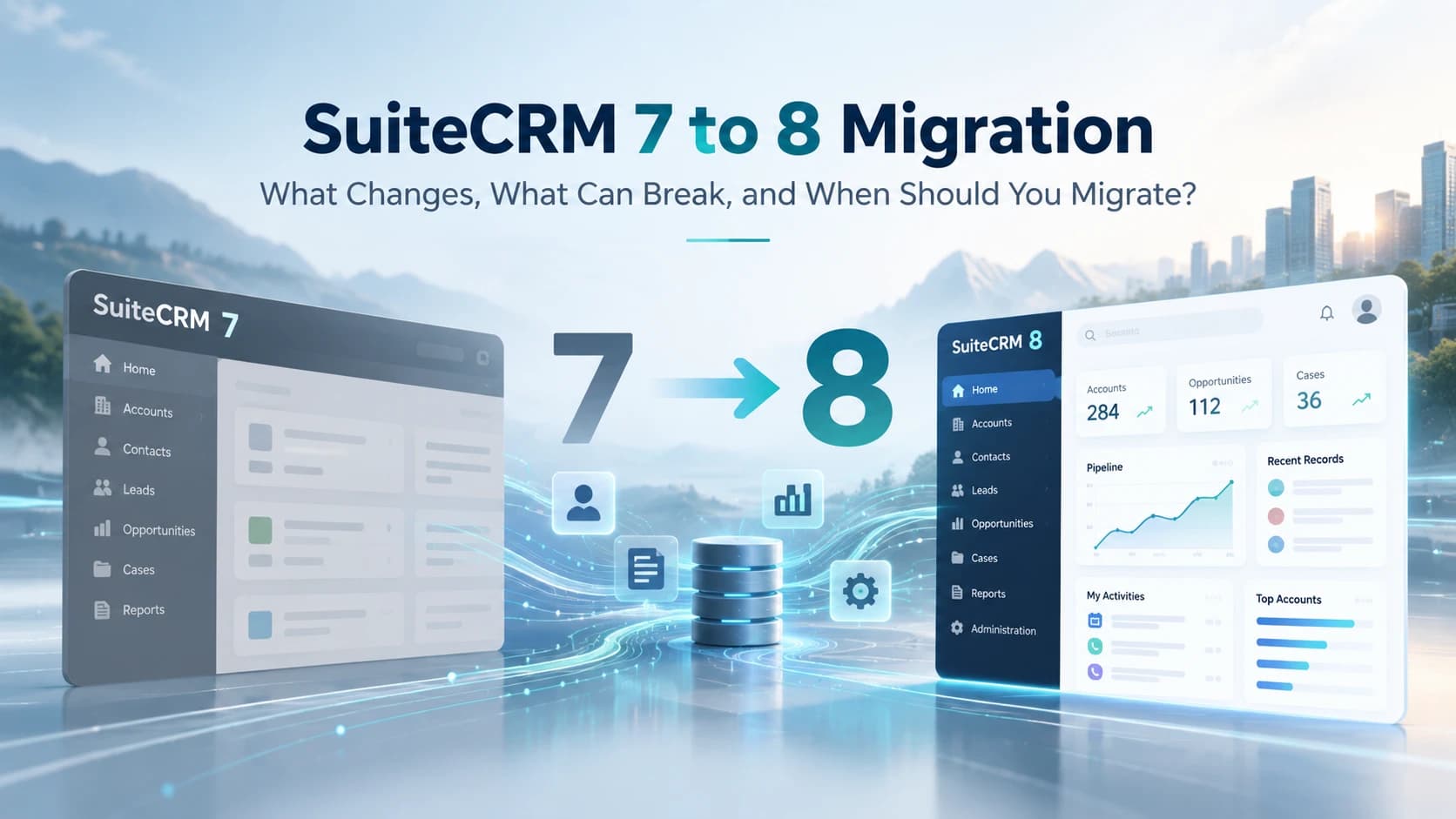
If you have been running SuiteCRM for several years, there is a good chance your CRM is no longer just SuiteCRM.
It may contain custom fields created in Studio, custom modules, logic hooks, workflows, scheduled jobs, integrations with ERP or accounting systems, web forms, APIs, email configuration, reporting tools, WhatsApp integrations and pieces of PHP written by developers who may no longer work with you.
That is why moving from SuiteCRM 7 to SuiteCRM 8 deserves more thought than installing a new version and clicking an upgrade button.
We have seen businesses make two opposite mistakes. The first is assuming: It is only an upgrade. How difficult can it be? The second is assuming: Our SuiteCRM is heavily customised, so moving to SuiteCRM 8 will be impossible.
Usually, neither is true. The right answer depends on what is actually inside your CRM.
This guide explains how we look at a SuiteCRM 7 to 8 migration from a practical business and technical perspective: what changes, what normally survives, what needs investigation, where migrations become difficult and when delaying a migration may actually be the sensible decision.
On this page
- SuiteCRM 7 to 8 migration in plain English
- Is SuiteCRM 7 to 8 an upgrade or a migration?
- Do you actually need to migrate from SuiteCRM 7?
- Is SuiteCRM 7 still supported?
- What actually changes in SuiteCRM 8?
- What happens to your existing data?
- What happens to custom modules and customisations?
- What happens to integrations and APIs?
- What happens to workflows and automation?
- What are the real benefits of migrating to SuiteCRM 8?
- What happens if you do not migrate?
- The hidden problem: migration debt
- What are the risks of migrating from SuiteCRM 7 to 8?
- What should be audited before migration?
- Retain, Replace, Rebuild or Retire
- A practical SuiteCRM 7 to 8 migration process
- What should be tested before going live?
- Should you migrate and modernise everything at the same time?
- When would we recommend staying on SuiteCRM 7 temporarily?
- How complex is your SuiteCRM migration likely to be?
- Questions to ask a SuiteCRM migration partner
- So, should you migrate from SuiteCRM 7 to SuiteCRM 8?
- SuiteCRM 7 to 8 Migration Readiness Checklist
- Final thoughts
SuiteCRM 7 to 8 migration in plain English
The simplest way to explain a SuiteCRM 7 to 8 migration is this:
You are moving your existing CRM onto a new generation of the SuiteCRM application while trying to preserve the data, processes, integrations and custom functionality your business already depends on.
That last part matters. A migration is not successful because the new login screen works, Contacts are visible, the database has been copied, or the server returns HTTP 200.
It is successful when the business can continue operating.
If a salesperson can log in but quotations no longer generate correctly, the migration has failed. If customer records are present but your ERP integration has stopped posting invoices, the migration has failed. If Opportunities work but an important logic hook no longer assigns leads, the migration has failed.
Is SuiteCRM 7 to 8 an upgrade or a migration?
This is the first distinction worth understanding. SuiteCRM itself classifies moving from SuiteCRM 7 to SuiteCRM 8 as a migration rather than a normal upgrade.
That is because the architecture changed significantly. SuiteCRM 8 introduced a Symfony-based application layer and an Angular frontend, while parts of the SuiteCRM 7 application continue to operate within what SuiteCRM refers to as the legacy layer.
SuiteCRM 7.14 to SuiteCRM 7.15 is an upgrade within the SuiteCRM 7 family. SuiteCRM 7 to SuiteCRM 8 is a migration to a different application architecture.
That difference becomes important as soon as custom code is involved.
Do you actually need to migrate from SuiteCRM 7?
Not necessarily tomorrow. This is where we prefer being practical rather than creating unnecessary urgency.
There are businesses running SuiteCRM 7 installations that are stable, heavily customised and doing exactly what the organisation needs. If that installation is on a currently supported version, there may be good reasons to schedule the migration properly rather than rushing into it.
On the other hand, there are organisations still running much older SuiteCRM 7 releases because nobody wants to touch it because it currently works. That is a different situation.
Is SuiteCRM 7 still supported?
This is an area where there is a lot of confusing information online. At the time this article was prepared, SuiteCRM 7.15 is an Extended Support Release (ESR), while older SuiteCRM 7 releases have different end-of-life dates.
That means saying SuiteCRM 7 is unsupported is too broad. The exact version matters.
There is a significant difference between running SuiteCRM 7.15 ESR and running an older SuiteCRM 7 installation that has not been properly maintained.
What actually changes in SuiteCRM 8?
From a business user perspective, SuiteCRM 8 may initially look like a redesigned CRM. From a developer perspective, the change is considerably larger.
A simplified SuiteCRM 7 architecture looks like: Browser → SuiteCRM/PHP application → database.
SuiteCRM 8 introduces another application layer: Angular frontend → SuiteCRM 8 services/Symfony → legacy SuiteCRM functionality → database.
That does not mean every piece of SuiteCRM 7 suddenly gets rewritten in Angular and Symfony during migration. SuiteCRM 8 intentionally retains legacy functionality while newer areas of the application use the new architecture.
We therefore separate two ideas:
- Migration — make the existing CRM work reliably on SuiteCRM 8.
- Modernisation — gradually rebuild selected legacy customisations using the newer SuiteCRM 8 architecture.
Those projects can be related, but they do not have to happen simultaneously. In fact, separating them often reduces risk.
What happens to your existing data?
For most businesses, this is understandably the first concern. Your CRM may contain years of Accounts, Contacts, Leads, Opportunities, Cases, Calls, Meetings, Notes, Emails, Documents, Quotes, Campaigns, custom module records, relationships, audit history and uploaded files.
The migration process is designed to preserve the SuiteCRM 7 data while moving the application into the SuiteCRM 8 structure. But the records being visible is only one part of data validation.
We also check:
- custom field values
- relationships between records
- assigned users
- teams and security groups
- attachments and notes
- audit tables
- email relationships
- custom module data
- character encoding
- date/time behaviour
- record counts before and after migration
For important modules, we normally compare data before and after the trial migration instead of relying on visual inspection. Twenty Contacts appearing correctly does not prove that hundreds of thousands of records migrated correctly.
What happens to custom modules and customisations?
This is usually where the real migration project begins. Two SuiteCRM installations with the same version number can have completely different migration complexity. One may be almost standard. The other may contain ten years of development.
Studio customisations
Custom fields, layouts, dropdowns, relationships and labels are generally easier to deal with than deep code customisations, although they still need testing.
Module Builder modules
Custom modules generated using Module Builder need to be inventoried and tested. We check whether records display properly, relationships work, list views and filters work, edit views save correctly, subpanels load, workflows still fire and permissions remain correct.
Logic hooks
Logic hooks deserve special attention. A hook may perform something business-critical without users even knowing it exists.
If that hook stops working after migration, the Opportunity itself may still save perfectly. Nobody notices the problem until operations asks why no project was created.
Custom controllers, entry points and overridden classes
These usually require deeper analysis, especially when developers have overridden SuiteCRM core behaviour rather than using upgrade-safe customisation methods.
Core modifications
These are one of the biggest migration warning signs. If previous developers directly modified SuiteCRM core files, we treat those changes as high risk until we understand why they were made. The goal should usually be to remove or re-engineer those modifications rather than blindly copying them into the new environment.
What happens to integrations and APIs?
Integrations are one of the most frequently underestimated parts of CRM migration. A business may tell us it only has three integrations. After investigation, we may find website enquiry forms, ERP, accounting, Power BI, WhatsApp, telephony, email marketing, n8n, Zapier, customer portals, payment gateways, custom mobile applications, nightly CSV imports, scheduled exports and reporting databases.
Some were built years ago. Some have no documentation. Some are using a user account and password that everybody has forgotten. Some are calling old API endpoints. And some are simply cron jobs somebody created five years ago.
Before migration we want to know:
- What sends data to SuiteCRM?
- What receives data from SuiteCRM?
- What authentication does it use?
- How often does it run?
- What happens if it fails?
- Who owns it?
That integration inventory is often one of the most valuable outputs of the migration assessment itself.
What happens to workflows and automation?
Workflows are easy to overlook because many were created through the CRM interface rather than by developers.
We want to understand what triggers the workflow, what conditions it checks, what records it creates, what fields it changes, what emails it sends, whether it runs immediately or on a scheduler, and whether it depends on custom code.
What are the real benefits of migrating to SuiteCRM 8?
The weakest reason to migrate is because 8 is newer. There are much better reasons.
A better long-term platform
SuiteCRM 8 is the strategic development direction of the product. If you expect SuiteCRM to remain part of your technology stack for years, eventually the question becomes less about whether to migrate and more about when.
A modern application architecture
SuiteCRM 8 brings Symfony and Angular into the platform. For organisations doing ongoing CRM development, this gives developers newer architectural patterns for frontend and backend extensions.
Opportunity to remove technical debt
A migration gives you a natural point to ask questions rarely asked during ordinary day-to-day development: Do we still need this custom module? Does anybody still use this workflow? Why did we modify this core file? Can this old PHP script be replaced with an API-based integration?
A better foundation for future development
Current SuiteCRM 8 releases continue expanding native SuiteCRM 8 functionality. For organisations investing heavily in future CRM development, that matters.
Better control over future maintenance
The goal should be to move customisations toward patterns that are easier to document, version-control, test and maintain. SuiteCRM 8 does not eliminate maintenance, but it gives you an opportunity to stop adding new technical debt to an architecture you already know you will eventually leave.
What happens if you do not migrate?
This depends entirely on what you are running. If you are on a supported SuiteCRM 7 ESR, delaying migration for a planned period can be a defensible decision. If you are running an unsupported older release, the conversation is different.
The risks start accumulating in several areas:
Security
Once a release reaches end of life, you cannot assume new security issues will be patched for your version. For a CRM holding customer information, that should matter.
Infrastructure
Older application versions often depend on older PHP versions, operating systems, databases, libraries or authentication methods. Eventually the CRM becomes the reason infrastructure cannot be upgraded.
Integration compatibility
Your CRM does not exist in isolation. Microsoft changes. Google changes. WhatsApp changes. Payment gateways change. Email providers change. APIs are deprecated. TLS requirements change. Authentication standards change. Even if SuiteCRM itself keeps running, the systems around it continue moving.
Developer availability
Maintaining old undocumented PHP customisations becomes harder over time, which normally means support becomes slower or more expensive.
Third-party extensions
Plugin vendors eventually stop supporting older CRM versions. That can turn an otherwise stable installation into a blocker when another business requirement changes.
The hidden problem: migration debt
There is another cost businesses rarely measure. We call it migration debt.
If a SuiteCRM 7 installation already contains integrations, custom modules, logic hooks, workflows and custom scripts, every new legacy customisation added before migration may become one more thing that eventually needs to be assessed.
That does not mean you should stop improving your CRM. It means every significant new SuiteCRM 7 customisation should be considered in the context of your eventual SuiteCRM 8 strategy.
What are the risks of migrating from SuiteCRM 7 to 8?
Custom functionality may behave differently
Older code can rely on assumptions about PHP, SuiteCRM internals, UI behaviour or undocumented framework behaviour.
UI customisations may need redesign
Heavy SuiteCRM 7 theme or frontend modifications need careful analysis because SuiteCRM 8 uses a different frontend architecture.
Third-party plugins may not have equivalent SuiteCRM 8 versions
Verify this before migration, not after.
Infrastructure requirements may change
The target server stack must meet the requirements of the target SuiteCRM release.
Users may need adjustment
Even technically successful migrations can create adoption problems if screens or processes change without communication.
Production cutover may require downtime
For many migrations, the sensible objective is controlled, predictable downtime with a tested rollback plan.
What should be audited before migration?
Current SuiteCRM environment
- exact SuiteCRM version
- upgrade history
- database size
- uploaded file size
- number of users
- major modules in use
- scheduled jobs
- cron configuration
Custom modules
- Module Builder modules
- manually developed modules
- relationships
- custom tables
Customisations
- custom fields
- layouts
- logic hooks
- controllers
- custom views
- custom JavaScript
- custom CSS
- entry points
- overridden classes
- core modifications
Workflows
- triggers
- actions
- scheduled workflows
- custom workflow actions
Integrations
- ERP
- accounting
- websites and forms
- telephony
- marketing platforms
- n8n or Zapier
- portals
- reporting tools
- payment systems
- external databases
- custom APIs
Authentication
- standard authentication
- LDAP
- SAML
- OAuth
- SSO
- custom authentication
Third-party extensions
- vendor
- version
- business purpose
- SuiteCRM 8 compatibility
- available alternative
- whether still required
Infrastructure
- operating system
- PHP
- database
- web server
- SSL
- cron
- filesystem
- proxy
- Redis or other services where relevant
Business-critical processes
- document complete journeys such as: Website lead → CRM → assignment → salesperson → opportunity → quotation → ERP
Not sure how customised your SuiteCRM really is?
A migration-readiness assessment can identify custom code, integrations, plugins and migration blockers before production is touched.
Retain, Replace, Rebuild or Retire
Retain
It works correctly and remains suitable in SuiteCRM 8. Keep it.
Replace
There is now a better native SuiteCRM capability or supported extension. Replace the old solution.
Rebuild
The business requirement still exists, but the current implementation is too old, incompatible or risky. Rebuild it using an appropriate SuiteCRM 8 architecture.
Retire
Nobody needs it anymore. Remove it.
Retiring functionality is underrated. A migration is one of the few times an organisation gets permission to ask why it is still maintaining something. If nobody can answer, that is worth investigating.
A practical SuiteCRM 7 to 8 migration process
At a high level, a controlled migration moves through assessment and a tested trial before production is ever touched:
- Current SuiteCRM
- Assessment
- Supported SuiteCRM 7 baseline
- Trial migration
- SuiteCRM 8
- Validation
- Modernisation
Discovery
Understand the business processes, current environment and reasons for migration.
Technical assessment
Inventory code, modules, integrations, workflows, extensions and infrastructure. Identify blockers.
Prepare the SuiteCRM 7 baseline
Bring the current CRM to the required supported migration baseline and resolve problems that already exist.
Build the SuiteCRM 8 environment
Create the new target environment with the correct PHP, database, web server, SSL, permissions, scheduled processing and backup configuration.
Trial migration
Copy production into an isolated environment and perform the migration there. This is where you want failures to appear.
Remediate customisations
Work through incompatible PHP, UI, extensions, deprecated functions, file paths, API behaviour, permissions and schedulers.
Integration testing
Test every known integration in both directions where applicable.
Business-process testing
Run complete user journeys rather than isolated screens.
User acceptance testing
Actual users validate the activities they perform every day.
Production cutover
Plan the write freeze, backups, final data sync, deployment, validation, user release and rollback criteria.
Hypercare
Monitor logs, scheduled jobs, integrations, email, performance and user-reported issues.
Modernisation
After the environment is stable, decide what should be rebuilt or improved using SuiteCRM 8 capabilities.
What should be tested before going live?
One of the biggest mistakes in CRM projects is testing modules instead of processes. A checklist that says Accounts - pass, Contacts - pass, Leads - pass and Opportunities - pass does not tell us enough.
Lead management example
Sales example
Customer service example
Integration example
Should you migrate and modernise everything at the same time?
Usually, we would advise against it. If you migrate, redesign the sales process, replace ERP integration, introduce WhatsApp, add AI agents, rebuild dashboards, clean all customer data and redesign permissions in one project, troubleshooting becomes much harder.
A lower-risk approach is often:
Preserve
Get the important existing business processes working correctly on SuiteCRM 8.
Stabilise
Fix migration defects and establish a reliable baseline.
Modernise
Replace poor legacy customisations deliberately.
Optimise
Introduce new automation, AI, WhatsApp, n8n and process improvements.
When would we recommend staying on SuiteCRM 7 temporarily?
Your supported SuiteCRM 7 environment is stable and extremely customised
If the business risk of changing the environment today is greater than the benefit, plan rather than rush.
A business-critical plugin is not yet compatible
Replacing it may need its own project.
You are entering a critical trading period
Do not migrate a mission-critical CRM immediately before your busiest month without a compelling reason.
You do not have enough time for testing
A short schedule often saves time by removing testing. That is not saving time; it is transferring work into production incidents.
You first need to understand your customisations
If nobody knows what is inside the CRM, discovery is the first project.
Staying temporarily on a supported SuiteCRM 7 release can be reasonable. Staying indefinitely because nobody wants to investigate the system is not a strategy.
How complex is your SuiteCRM migration likely to be?
| Current environment | Typical migration risk |
|---|---|
| Mostly standard SuiteCRM | Low |
| Studio fields and layouts | Low |
| Standard workflows | Low-Medium |
| Several third-party extensions | Medium |
| Custom modules | Medium |
| Logic hooks / custom PHP | Medium |
| API integrations | Medium-High |
| Heavy custom UI / theme | High |
| Core SuiteCRM modifications | High |
| Undocumented custom code | Very High |
| Old unsupported SuiteCRM + custom code | Very High |
This is not a quotation model. A single badly designed customisation can be more difficult than twenty clean ones, but the table is a useful starting point.
Questions to ask a SuiteCRM migration partner
How will you identify custom code?
If the answer is simply that they will run the migration and see what fails, that is not much of an assessment.
How will you test integrations?
You want an integration inventory and test plan.
How will you test business processes?
Ask for examples of end-to-end test scenarios.
What happens if production migration fails?
There should be a rollback plan.
Will you migrate everything or review what should be retired?
Blindly copying technical debt is easier than improving it. It is not necessarily better.
How will customisations be maintained after migration?
Ask which customisations remain in the legacy layer and which should eventually move toward SuiteCRM 8-native approaches.
How will you prove our data migrated correctly?
Users looking at a few records is not a data-validation strategy.
What happens after go-live?
Production monitoring and hypercare matter.
So, should you migrate from SuiteCRM 7 to SuiteCRM 8?
If you plan to continue using SuiteCRM long term, SuiteCRM 8 should be part of your roadmap. That does not automatically mean migrate this weekend.
For some organisations, the right answer is start now. For others, it is move onto the appropriate supported baseline, clean up the environment, audit the customisations and schedule migration properly. And for highly customised systems, the best first project may simply be finding out what you actually have.
That is why we prefer starting with a migration-readiness assessment rather than estimating only from number of users, database size and current SuiteCRM version. Those figures matter, but they do not tell us whether the business has dozens of undocumented logic hooks and an ERP integration written years ago.
SuiteCRM 7 to 8 Migration Readiness Checklist
Version
- What exact SuiteCRM version are we running?
- Is it currently supported?
- What upgrade path is required before migration?
Infrastructure
- What PHP version are we using?
- Which database?
- Which operating system?
- Which web server?
- Does the target SuiteCRM version support this stack?
Data
- How large is the database?
- How much file storage is used?
- Which modules contain critical data?
- How will record counts and relationships be validated?
Customisation
- What custom modules exist?
- What custom fields exist?
- Which logic hooks exist?
- Have core files been modified?
- Are there custom controllers or entry points?
- Is the customisation documented?
Automation
- Which workflows are active?
- Which scheduled jobs are active?
- Which cron jobs exist outside SuiteCRM?
Integration
- Which external systems read SuiteCRM data?
- Which external systems write SuiteCRM data?
- Which APIs are used?
- Which credentials and authentication methods are used?
- Who owns each integration?
Extensions
- Which third-party plugins are installed?
- Are they still used?
- Do SuiteCRM 8-compatible versions exist?
Business processes
- Which CRM processes would stop the business if they failed?
- Have those processes been converted into test cases?
Migration
- Is there a staging environment?
- Has a trial migration been completed?
- Is there a rollback plan?
- Has user acceptance testing been completed?
- Has production downtime been agreed?
If several of those answers are We are not sure, that does not necessarily mean your CRM is in bad shape. It means the correct first step is discovery rather than migration.
Final thoughts
We do not see SuiteCRM 7 to 8 migration as a file-copying exercise.
A CRM sits in the middle of sales, marketing, customer service, operations and often finance. Over time, businesses build processes around it that are far more valuable than the application itself.
The job of a migration is therefore not simply to move SuiteCRM. It is to move the business capability that has grown around SuiteCRM.
That requires understanding what must stay, what should change, what should be rebuilt and what can finally be removed.
If you approach the project that way, SuiteCRM 7 to 8 migration becomes more than a version change. It becomes an opportunity to move onto a supported platform while reducing years of accumulated CRM technical debt.
And if you are not yet sure whether your SuiteCRM is ready for migration, that is exactly what should be established before making changes to production.
SuiteCRM 7 to 8 Migration Readiness Assessment
Before starting a migration, assess the current SuiteCRM environment across version and infrastructure, custom modules, customisations, workflows and automation, APIs and integrations, third-party extensions, data, security and authentication, and business-critical processes.
Once those answers are clear, estimating and planning the actual migration becomes considerably more reliable.
Planning a SuiteCRM 7 to 8 Migration?
Before estimating the migration, we assess what needs to be retained, rebuilt, replaced or retired.
Verification references
SuiteCRM support status, migration packages and release numbers change over time. Confirm the current position against the official sources below.
Related knowledge
More SuiteCRM guides in preparation
- Is SuiteCRM 7 End of Life?
- SuiteCRM 7 vs SuiteCRM 8
- SuiteCRM 7 to 8 Migration Checklist
- What Happens to Customisations During SuiteCRM 8 Migration?
- SuiteCRM 8 Migration Risks
- SuiteCRM Migration Cost
- SuiteCRM Migration Readiness Assessment
- How to Audit SuiteCRM Before Migration